
Play Stick Figure Storytime in your browser
Type a story and watch hand-drawn stick figures act it out, one sentence at a time. Dragons breathe fire, robots stomp, best friends high five. It’s free, with no sign-up.
The stage downloads a few megabytes the first time. It works in recent versions of Chrome, Edge, Safari and Firefox, on computers, tablets and phones.
How to play
- Start a story. Tap Start a new story on the home screen, or watch one of the sample stories first to see what the stage can do.
- Name someone. “A knight named Walter” or “Sam and his dog Frank” brings them on stage, each in a marker color of their own. Describe them and that’s how they look: curly hair, a giant head, a blue dragon.
- Say what happens. Each sentence plays as soon as you finish it. Run, jump, flip, dance, hug, cast spells, breathe fire, fall asleep: over 60 moves. Put words in quotes and they pop up in a speech bubble.
- Set the scene. Name a place (a castle, the beach, outer space), a time (sunset, night) or the weather (rain, snow, a storm) and the stage changes with it.
- Press Play. The theater plays the whole story from the beginning, with subtitles, as many times as you like.
Sentences to try
Type one of these into a new story, or change a word or two and see what happens.
- A knight named Walter rode his horse to the castle.
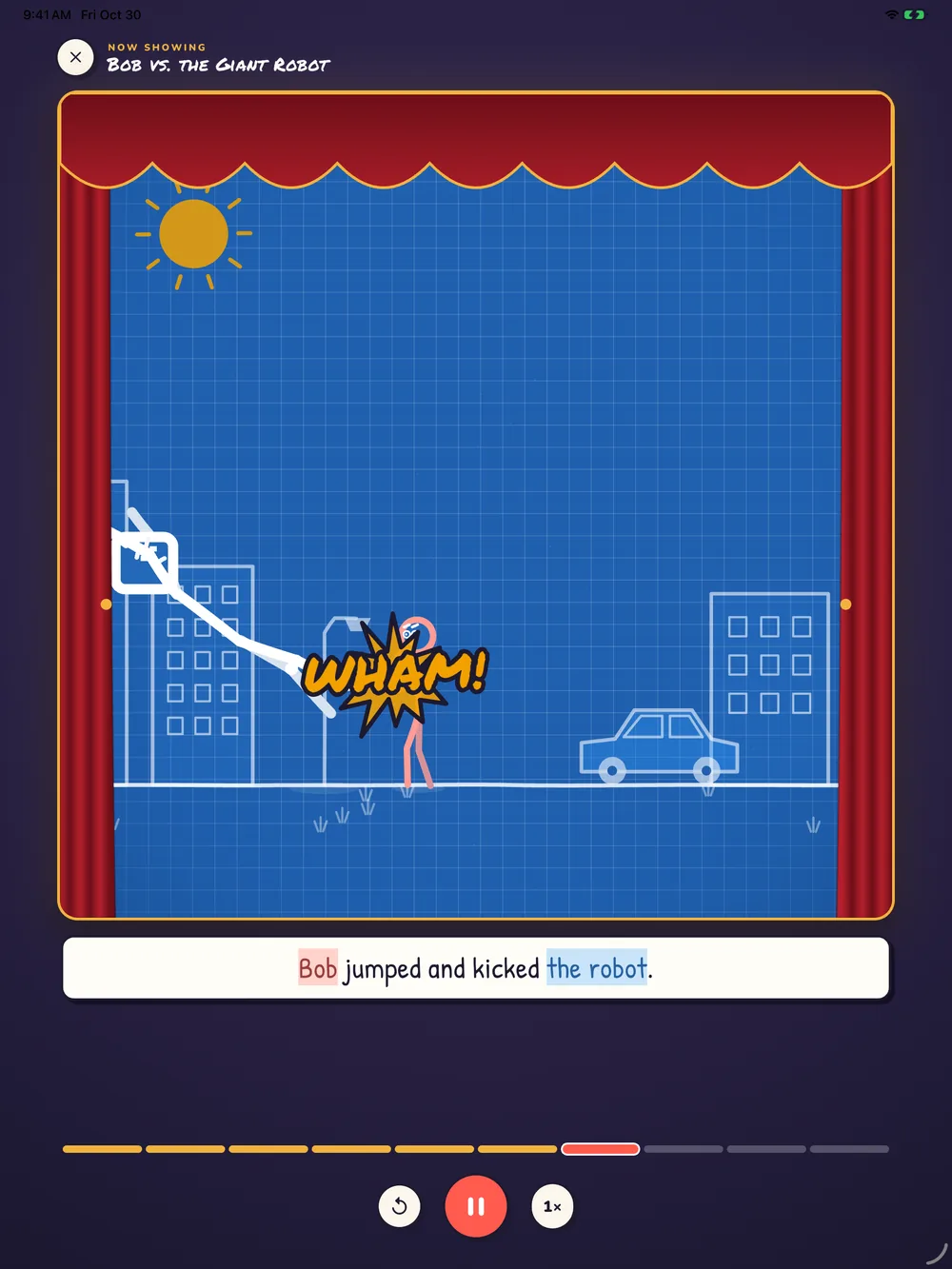
- Bob jumped and kicked the robot.
- The dragon breathed fire and the knight hid behind a tree.
- The princess yelled “Watch out!” and the knight ducked.
- A tiny dog chased a giant cat around the park.
- Two penguins danced on the ice at night.
- It started to rain, so Mia opened her umbrella and splashed in a puddle.
Short sentences with one or two things happening work best, and it helps to name a character before they do something. After a name, “he” and “she” work as you’d expect.
What’s in the web edition
The web edition lets you type stories and watch them act out, play the sample stories, browse the Idea Book for animals and things to do, and make characters of your own. It keeps up to 3 stories, saved in this browser on this device; clearing the browser’s data for this site erases them.
It shows kid-safe ads from Google: a banner on its home screen and in the Idea Book, and now and then a full-screen ad after a story ends or when you leave one you’ve written. Never while a story is being written or played, and never personalized. Our privacy policy has the details.
The free app for iPhone, iPad and Android adds telling a story out loud, a narrator that reads it to you, a bigger shelf, and Storytime Plus, which saves stories as videos and turns off the ads.
Looking for ideas?
Read our stories to read and play, each one acted out on the stage, or try the story starters. Grown-ups helping a young writer will find more in the guides.